RODOGRAU Chat Commands & Codes
Master every chat command to customize your rider and unlock features in RODOGRAU 2.0.
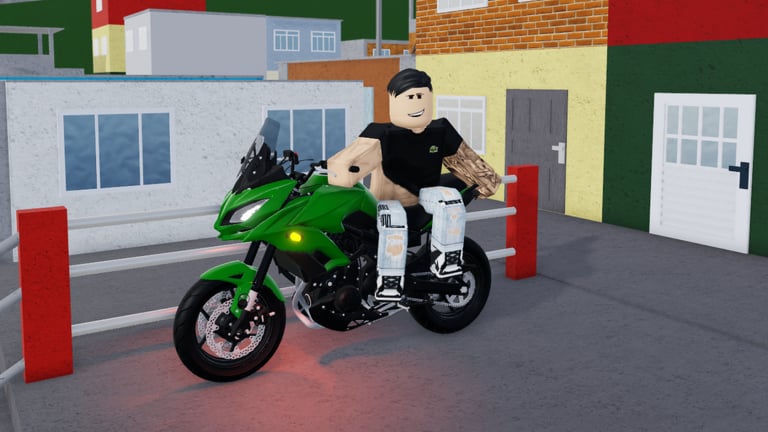
Welcome to the RODOGRAU Codes and Commands Hub. Unlike traditional Roblox games that use redemption codes for free items, RODOGRAU features an extensive chat command system that allows you to customize your character, access special features, and enhance your gameplay experience.
How Chat Commands Work
In RODOGRAU, most customization and feature unlocks are handled through chat commands rather than promotional codes. These commands are entered directly into the game’s chat window and take effect immediately. The command system is intuitive and covers everything from helmet selection to performance optimization.
To use a command, simply press the chat key (typically ”/” or Enter), type the command, and press Send. Most commands work instantly without any confirmation message, though some features may require additional steps or gamepass purchases.
Helmet Commands
One of RODOGRAU’s most popular features is the extensive helmet collection. With 23 different helmets available through chat commands, you can customize your rider’s appearance to match your style. Each helmet has a unique design that reflects Brazilian motorcycle culture and street style.
Available Helmets
The helmet system uses simple numbered commands from /cap1 through /cap23. Each number corresponds to a different helmet style, ranging from classic motorcycle helmets to more elaborate designs. To remove your helmet at any time, use the /rh command which instantly removes all headwear and accessories.
Experimenting with different helmets is part of the fun in RODOGRAU. Some helmets are more popular in the community and appear frequently during group rides and events. The /cap1 command typically provides a standard sport helmet, while higher numbers like /cap15 through /cap23 feature more distinctive and rare-looking designs.
Character Customization
Copying Player Skins
The /char command allows you to copy another player’s character skin or outfit. This is particularly useful if you see a rider with a combination you like and want to try it yourself. To use this command, type /char followed by the exact username of the player whose skin you want to copy.
For example: /char PlayerName123
This command is especially popular in the community as players often share their custom combinations during events and group rides. The feature promotes creativity and allows you to express your personal style through your character’s appearance.
Other Character Commands
Additional character customization options include commands for accessories and props. Use these frequently during roleplay, photo sessions, and delivery scenes:
- /celular — Hold a phone for casual or recording poses
- /selfie — Enter a selfie / photo pose for screenshots
- /prancheta — Hold a clipboard for work or checkpoint roleplay
- /peca — Equip a spare-part / piece prop used in mechanic-style scenes
These commands are cosmetic and work best when paired with helmets and backpacks. If a prop does not appear, retype the command exactly and confirm your session is on the current RODOGRAU 2.0 experience.
Performance and Utility Commands
FPS Boost
If you experience lag or frame rate issues while playing RODOGRAU, the /fps command can help optimize your performance. This command reduces visual effects and simplifies rendering to provide a smoother experience on lower-end devices. Simply type /fps in chat to activate this feature.
This is particularly useful when playing on mobile devices or older computers where the game’s open-world environment might cause performance issues. The command can be toggled on and off as needed.
Workshop Access
The /ofc command provides access to the portable workshop feature for players who own the corresponding gamepass. This allows you to customize your motorcycle anywhere on the map, including changing colors, removing parts (depenada), and adjusting various bike settings. The workshop is essential for serious players who want to perfect their ride.
Delivery and Gameplay Commands
Delivery Backpacks
For players interested in delivery roleplay or collecting items, the /bag and /bag2 commands equip delivery-style backpacks on your character. These backpacks add visual detail to your rider and are popular in delivery and work-themed roleplay scenarios.
The backpacks vary in style between the two commands, with /bag2 typically providing a larger or different design compared to the standard /bag option. These commands are purely cosmetic and add to the immersive experience.
Music IDs
RODOGRAU supports boombox and radio playback so comboios and solo rides can share Brazilian funk, automotivo, and other street-ready tracks. This hub does not dump every ID here—that list lives on the dedicated guide so commands stay readable.
Open the full curated list here: Music IDs guide. Use that page when you need working IDs, genre notes, and etiquette for playing audio in public servers without drowning chat in spam.
Quick workflow: equip or spawn a boombox/radio item, paste an ID from the Music IDs guide, then keep volume reasonable during group rides. If an ID fails, the track may have been moderated or removed—try another entry from the guide instead of third-party “code” sites.
Screenshot Shortcut
Beyond chat commands, Shift+C captures a screenshot during wheelies and other stunts so you can freeze a dramatic Grau moment without opening an external overlay. Combine Shift+C with /selfie or /celular poses when you want staged photos instead of mid-ride captures.
Tips for Using Commands
Command Best Practices
When using chat commands in RODOGRAU, ensure you type them exactly as shown, including any spaces or special characters. Some commands are case-sensitive, so use lowercase letters for the command prefix. If a command doesn’t work, verify the spelling and check whether it requires a gamepass or is available in your game version.
Commands are processed immediately upon sending, so you can chain multiple commands together quickly. This is useful when trying different helmets or switching between features. The chat history allows you to quickly re-execute previous commands by pressing the up arrow key.
Related Wiki Pages
- Getting Started — Learn the basic controls
- Music IDs — Curated boombox soundtrack IDs
- Controls Guide — Keyboard and mobile binds
- Tier List — Find the best motorcycles
- Updates — Latest game features
Frequently Asked Questions
Quick answers to the most common questions about RODOGRAU.
How do I use chat commands in RODOGRAU?
Press the chat key (Enter or /), type the command, and press Send. Commands like /cap1 equip helmets while /rh removes them. Most commands work instantly.
How many helmets are available in RODOGRAU?
There are 23 helmets available through the /cap1 through /cap23 commands. Each helmet has a unique design reflecting Brazilian motorcycle culture.
How do I copy another player's skin?
Use the command /char followed by the player's exact username. For example: /char PlayerName123. This copies their entire character appearance.
What prop commands should I know?
Common props include /celular for a phone, /selfie for photo poses, /prancheta for a clipboard, and /peca for a spare-part prop. Use /rh-style cleanup commands when you need to clear headwear.
Where do I find music IDs?
Use the dedicated Music IDs guide linked from this hub. It keeps the full soundtrack list separate so this commands page stays focused on chat utilities.
How do I take a screenshot during a wheelie?
Press Shift+C to capture during stunts. For posed shots, combine it with /selfie or /celular.
What is the /fps command?
The /fps command optimizes your game performance by reducing visual effects. It's useful for players experiencing lag or playing on lower-end devices.
Are there traditional promo codes for free items?
RODOGRAU primarily uses its chat command system rather than redemption codes. Be cautious of third-party sites claiming to have working codes, as many are outdated or fake.